Hinge Signals Badge: What It Means and How to Get It
By Chris Kerger · November 5, 2026 · 6 min read
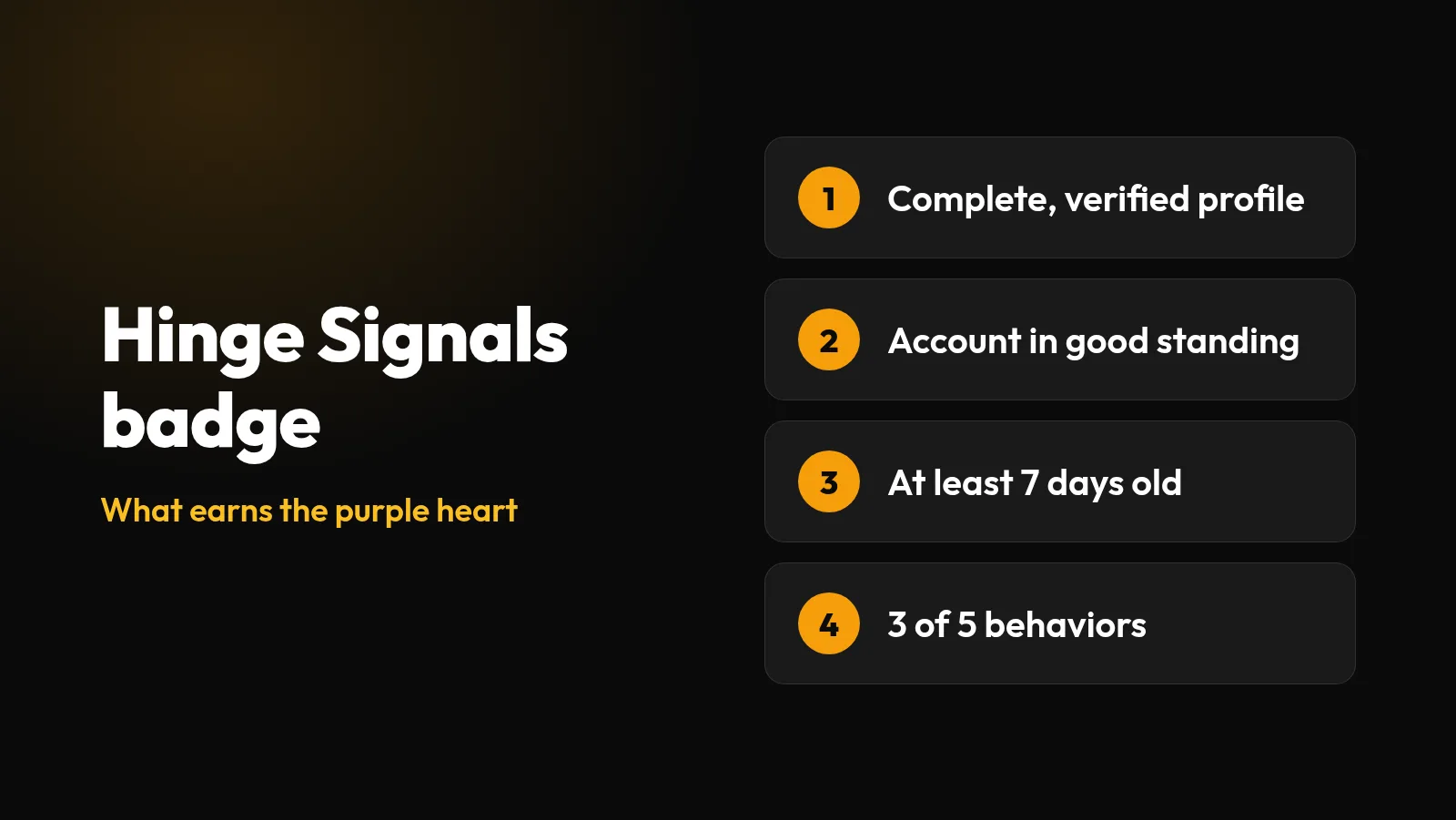
The small purple heart next to some names on Hinge is the Signals badge. Hinge launched it on June 1, 2026 for people who have “shown up with care and consistency on the app.” Here’s what earns it, how to check yours, and how far to trust it on someone else’s profile.
What the Signals badge means
The badge is about recent habits, not looks or popularity. Hinge says it “reflects activity over the last 30 days and refreshes daily based on recent activity,” so people can gain and lose it as their habits change.
It’s also narrower than the name suggests. Hinge’s help center says Signals “does not guarantee responsiveness, compatibility, or relationship outcomes.” It isn’t an online indicator either. A 30-day window can’t tell you whether someone opened the app today. For that, Hinge has a separate Last Active status.
Hinge’s help center says you may see the badge next to a name in Discover, Standouts, the Matches tab, the Likes You tab and Chat.
How to get the Signals badge
There are two parts, and you need both. First, Hinge says you must have all four of these:
- A complete profile
- An account in good standing
- Selfie Verification
- An account at least seven days old
Second, Hinge looks for “thoughtfulness” in your recent activity across at least three of five behaviors. Below, the words in quotation marks are Hinge’s, and the suggestion that follows is ours.
Spending time on profiles before sending a Like
“Taking time to explore a profile”
Read the prompts and look through the photos before you decide.
Commenting on someone’s profile
“Adding a specific comment with a Like”
Mention one detail from their photo or prompt. Our first message examples can help.
Reviewing incoming Likes
“Responding to interest from others”
Open Likes You regularly and decide on each person, rather than letting them pile up.
Messaging matches
“Responding to messages”
Answer the conversations you have going, or end the ones you don’t want to continue.
Confirming a date
“Sharing whether a connection led to a real first date”
Answer the We Met question after you meet someone.
Three things are worth knowing about that list:
- The number is three. You may see guides saying four, but Hinge’s announcement says “at least three,” and we couldn’t find a Hinge source for four.
- You don’t need to have been on a date. Only one of the five involves meeting anyone, so the other four can get you there.
- Hinge doesn’t publish the thresholds. The announcement doesn’t say how long counts as “time on a profile” or how many comments you need, so be wary of anyone quoting exact numbers.
Hinge’s announcement doesn’t name a feature for confirming dates, but We Met looks like the one it means. Hinge asks a few days after you exchange phone numbers whether you went on a date, and it says it never shares that feedback with your matches. You can also find it by swiping a match’s name to the left in your Matches tab.
How to check your Signals status
Hinge’s steps are short:
- Tap the photo icon in the lower right corner of the app.
- Under Get More, tap Check Your Signals.
That screen shows whether your badge is active and gives general information about the activity that counts. If you’d rather not display it, Hinge says you can choose whether your own badge shows on your profile in settings.
Can’t find the option? Update the app first. Hinge’s announcement says Signals is available globally, but one launch-day report described a phased rollout that excluded the UK and EU, so availability there may differ.
Can you buy it?
No. Hinge says the badge can’t be purchased, and subscribing to Hinge+ or HingeX doesn’t affect eligibility. Subscribers do get extra Signals features, including a way to narrow Discover to people with an active badge. That filter can’t be set as a dealbreaker.
Will the badge get you more likes?
Nobody outside Hinge can say. Hinge’s announcement doesn’t say that the badge improves your ranking, and we found no published figures showing that people with the badge get more likes. The same launch report says Hinge saw more selfie verifications, likes with comments and conversations after matching during its test, but it gives no numbers and doesn’t say badge holders got more likes.
There is one effect we can work out from the feature itself: a subscriber using the Discover filter won’t see anyone without an active badge. How many people use that filter isn’t public, so we wouldn’t treat it as a reason to chase the badge.
The habits are worth having anyway, and don’t overdo them to earn a heart. Hinge warns that “if you send too many likes, we can’t tell what you truly want.” If likes are your real problem, our guide to no likes on Hinge is a better place to start.
Why your Signals badge disappeared
Check these in order. Hinge says eligibility is reassessed regularly, so a badge that comes and goes isn’t necessarily a sign of trouble.
- You lost Selfie Verification. This is the one most likely to catch you out. Hinge says “changing your photos after verifying may result in a loss of verification,” and that if you lose it, your Signals badge “will disappear as well.” To try again, adjust your photos, tap the photo icon, then tap the gray checkmark under your name. Hinge says its support team can’t verify a photo for you.
- Your activity dropped. A quiet few weeks can take you below three behaviors, since only the last 30 days count.
- Your profile is no longer complete. Hinge doesn’t define “complete” in its announcement, but if a photo or prompt was removed by moderation, it’s worth checking. That link to the badge is our inference.
- Your account is no longer in good standing. Hinge doesn’t spell out what affects this in its announcement.
- You switched it off. Look in settings, in case your badge is simply hidden.
Test new photos before you swap them in
Changing Hinge photos can cost you verification. Compare anonymous 1–10 scores for attractiveness, trustworthiness and fun first, so you only change them once.
Test My Photos FreeIs the badge a green flag?
We’d call it a mild plus and nothing more. This is our reading, not Hinge’s:
What a badge suggests
- Their profile photos passed Selfie Verification
- They’ve used the app in the last 30 days
- They do at least some of the things Hinge counts as effort
What a missing badge could mean
- They chose to hide it
- Their account is under a week old
- They recently changed their photos
- They haven’t done Selfie Verification
- They aren’t very active
A missing badge has so many possible explanations that it tells you very little, so we wouldn’t pass on someone for that alone. A badge can’t measure sincerity either. Someone can be thoughtful by Hinge’s measures while talking to a lot of people at once. Women Love Tech raised a wider question about the whole idea: “if we need systems to reward basic relational effort, what does that say about where we’ve landed?”
What someone wrote and how they reply will tell you much more. For your own profile, the things people notice first are still your photos and prompts, so see our guides to the best Hinge photos and answering Hinge prompts.
Frequently asked questions
What does the purple heart mean on Hinge?
It is the Signals badge. Hinge gives it to people who meet its profile requirements and have shown thoughtful activity over the last 30 days. It does not guarantee that someone will reply or be compatible with you.
How do you get the Signals badge on Hinge?
You need a complete profile, an account in good standing, Selfie Verification and an account at least seven days old. Hinge also requires thoughtful recent activity across at least three of its five behaviors.
How do I check my Signals status?
Tap the photo icon in the lower right corner of the app, then tap Check Your Signals under Get More.
Can you buy the Hinge Signals badge?
No. Hinge says the badge cannot be purchased, and paying for Hinge+ or HingeX does not affect eligibility. Subscribers do get extra Signals features, including a Discover filter for people with an active badge.
Why did my Signals badge disappear?
Check your Selfie Verification first, because losing it removes the badge and changing your photos can cost you verification. After that, look at your activity, since the badge reflects the last 30 days and refreshes daily.
Does the Signals badge mean someone is online?
No. It reflects activity over the last 30 days, so it does not show that someone is using the app right now.
Can I hide my Signals badge?
Yes. Hinge says you can choose in settings whether your own badge shows on your profile.
Sources
Checked November 5, 2026. Apps change, so check the original pages if something looks different.
- Hinge Newsroom: Hinge launches new ‘Signals’ badge (June 1, 2026)
- Hinge Help: What is Signals?
- Hinge Help: What is Selfie Verification?
- Hinge Help: What is We Met?
- Hinge Help: Last Active status
- Hinge Help: Why aren’t I getting any matches?
- Hinge Help: What happens when content is removed from my profile?
- CCStartup: Hinge purple heart, a report based on Mashable’s coverage (June 1, 2026)
- Women Love Tech: The end of lazy dating? (June 4, 2026)